



Dynamic Map Platform Co., Ltd. (Head Office: Shibuya-ku, Tokyo; CEO & President: Shuichi Yoshimura; “Dynamic Map Platform”) has added a new feature, “Camera Mode,” to 3Dmapspocket®, its comprehensive 3D spatial platform that enables one‑stop 3D measurement, analysis, and virtual placement.
Camera Mode allows users to place a camera object at any desired location within a photorealistic 3D space* and visualize the viewing angle (field of view) from that position.
With this feature, users can instantly visualize visibility and viewing angles from virtually any location, including indoor spaces. This improves the efficiency of viewpoint validation tasks required for studies and planning activities in fields such as urban development and infrastructure, where on‑site confirmation and consensus building among stakeholders are essential.
- Introduction video: “Camera Mode” (Japanese only):
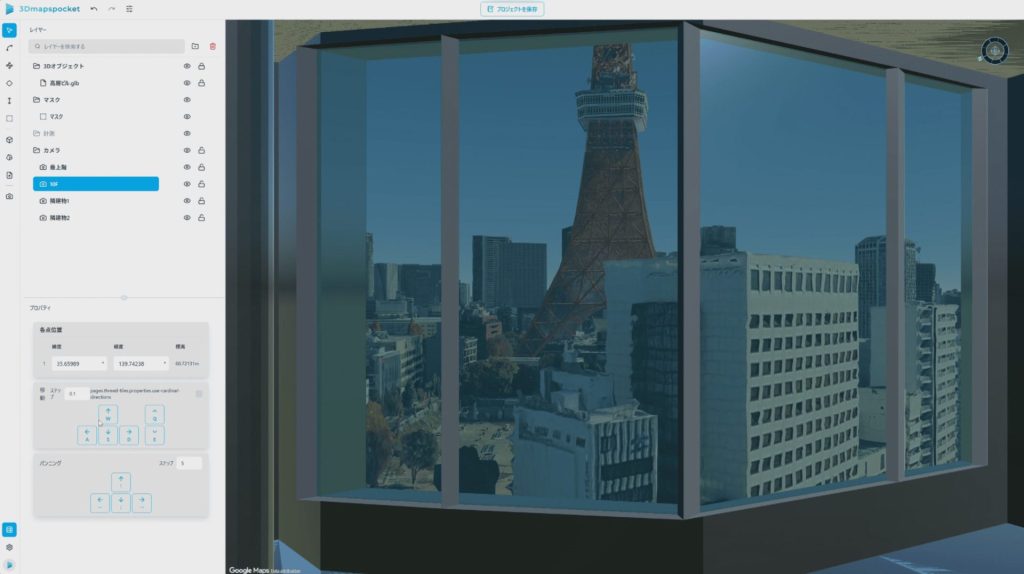
*Displayed using Google Photorealistic 3D Tiles
■Key Features of the New “Camera Mode”
- Visualization of Viewing Angles from the Camera Location
By placing a camera object at any position within the 3D space, the viewing angle from that location is displayed, allowing users to intuitively understand what is visible from that point.
- Reduced Reliance on Mouse Operations for More Accurate Viewpoint Validation
In Camera Mode, mouse operations are partially constrained, while camera movement and viewing angle adjustments can be performed via buttons in the property panel and through keyboard controls. Compared to mouse-based controls, this helps suppress unintended viewpoint shifts and enables more precise and stable viewpoint validation with improved usability.
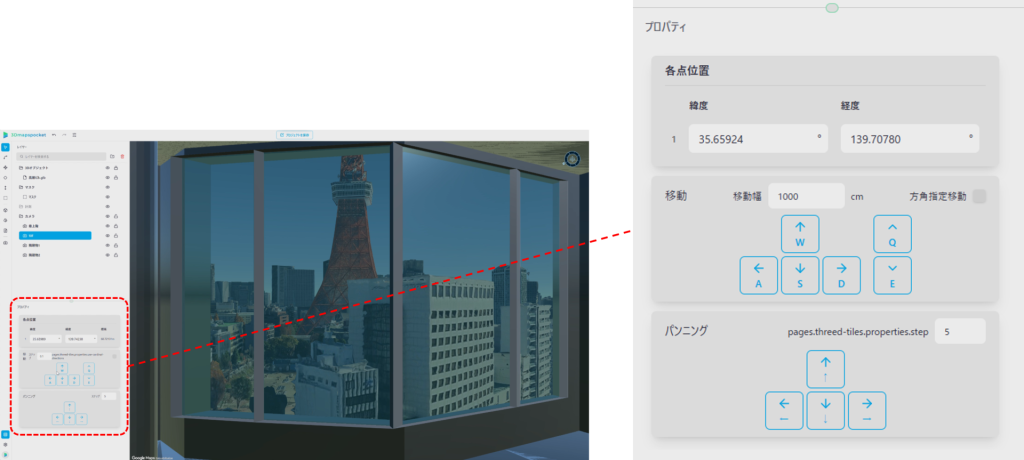
- Support for Movement and Pan/Tilt Control
The camera can be moved forward, backward, left, right, up, and down, while the viewing direction can be adjusted using pan and tilt (horizontal and vertical angles). This allows users to quickly configure the exact viewpoints they wish to examine.
■Expected Use Cases
This feature is particularly useful in urban and infrastructure fields, as well as in design and verification workflows, where understanding “what can be seen from a specific location” is critical. Example use cases include:
- Validation of installation viewpoints
Desk‑based verification of blind spots and visibility from candidate locations for installing equipment or facilities. - More efficient planning and explanation
Smoothly sharing concrete viewpoints with stakeholders, such as views from the 10th floor of a building or visibility from specific indoor locations. - Support for site investigations
Assisting studies that require high reproducibility of viewpoints in cases where revisiting the site is difficult.
In addition to the above, the latest feature update delivers the following improvements:
- Addition of the new “Camera Mode” in 3D Tiles view
- Expanded 3D object operations (scaling / movement / locking)
- Addition of save functionality for 3D Tiles views
Dynamic Map Platform will continue to advance flexible product enhancements as it works toward realizing its vision, “Modeling the Earth,” and to promote the development of digital infrastructure.
